
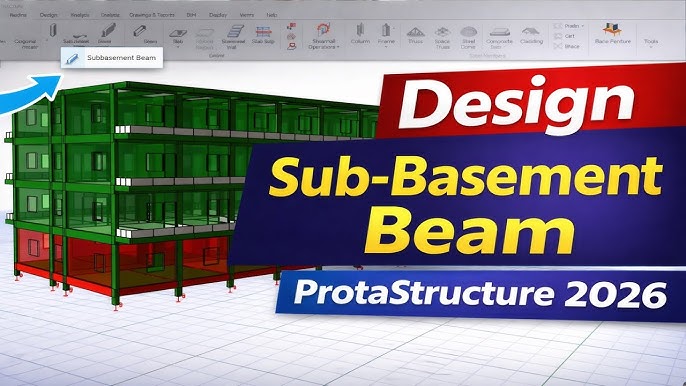
Beam construction software is one of the most useful tools in modern building design and structural engineering. It helps architects, structural engineers, and construction professionals design, analyze, and optimize beams — the horizontal elements that carry weight in a structure. With the right software, projects become safer, faster, and less costly.
In this guide, you’ll learn what beam construction software is, how it works, key features, benefits, common challenges, and answers to frequently asked questions.
What Is Beam Construction Software?
Beam construction software is a digital application designed to help professionals design and assess structural beams. It uses mathematical modeling, engineering principles, and sometimes artificial intelligence to calculate how beams behave under loads like weight, wind, or movement.
Rather than doing long calculations by hand, engineers use this software to:
- Model beams in 2D or 3D
- Analyze stresses, bending, and deflection
- Test different materials and sizes
- Ensure compliance with safety codes and standards
This technology replaces old manual methods with fast, accurate results — saving time and lowering the risk of costly design errors.
Why Beam Construction Software Matters
In traditional construction design, engineers often relied on manual calculations and simple tools. Modern building projects are far more complex, involving larger structures, diverse materials, and stricter safety requirements.
Here’s why beam construction software is so important:
- Faster design process: What once took hours or days can now be completed in minutes.
- Higher accuracy: Software follows engineering standards and reduces human error.
- Better visualization: 3D models let teams see how beams fit into the entire structure.
- Improved collaboration: Designers, architects, and builders can share models and calculations easily.
- Cost savings: Optimized designs use materials more efficiently, reducing waste.
For both small jobs and large infrastructure projects, beam software provides reliable support from design to execution.
Key Features of Beam Construction Software
Here are the most important features you’ll find in modern beam design and analysis tools:
Integrated 3D Modeling
Good software lets you create detailed 3D representations of beams within an entire structure. This helps engineers visualize load paths and connections with columns, slabs, and walls.
Load and Stress Analysis
This feature simulates real‑life forces acting on beams. The software calculates:
- Bending moments (forces that bend beams)
- Shear forces (forces that cut across beams)
- Deflection (how much the beam bends under load)
It shows where stresses are high so designers can improve the model.
Material Database
Beam construction software usually includes material libraries with data on:
- Steel types
- Reinforced concrete
- Timber and wood products
- Composite materials
This allows teams to compare strength, cost, and weight of different choices.
Code Compliance and Standards
Advanced tools check designs against international or local building codes like:
- AISC (American Institute of Steel Construction)
- Eurocode
- ASCE (American Society of Civil Engineers)
This ensures structures meet legal safety requirements.
Reporting and Documentation
After analysis, the software can generate:
- Detailed calculation reports
- Material lists
- Design summaries
- Visual diagrams
Reports can be shared with clients, contractors, and approval agencies.
How Beam Construction Software Works
The workflow in beam construction software typically includes:
- Input Geometry: Draw beam shapes, supports, and connections.
- Define Loads: Add weight, environmental pressures, or dynamic forces.
- Select Materials: Choose from steel, concrete, wood, or composite options.
- Run Analysis: Let the software calculate stresses and behaviors.
- Review Results: Use visuals and reports to check safety and performance.
- Optimize Design: Adjust dimensions or materials based on findings.
This cycle repeats until the best, safest, and most efficient design is achieved.
Benefits of Using Beam Construction Software
Increased Safety
By simulating real‑world forces, engineers can predict failures before construction begins.
Time Efficiency
Calculations that would take hours manually are completed in minutes.
Better Resource Planning
Optimized designs reduce over‑engineering and material waste.
Enhanced Collaboration
Multiple users can work on the same model and share updates in real time.
Easier Compliance
Built‑in checks help designs meet industry standards and legal requirements.
Challenges and Considerations
Even with powerful software, teams may face challenges:
Learning Curve
New users may need time to learn how to use advanced features.
Cost of Software
Some tools require expensive licenses which may be challenging for small firms.
Data Accuracy
The software depends on accurate inputs. Wrong load values or incorrect material choices lead to false results.
Integration
Some teams may struggle to connect beam software with other tools like BIM (Building Information Modeling) or project management systems.
Despite these challenges, the benefits make beam construction software a critical tool for structural engineering.
Frequently Asked Questions
Q1. Is beam construction software only for engineers?
A: While structural engineers use it most, architects and construction managers also benefit from insights and visual models.
Q2. Can beginners learn to use beam software?
A: Yes — many platforms offer tutorials, help guides, and training resources.
Q3. Does the software replace engineers?
A: No. It supports engineers by speeding up calculations and providing accurate models, but professional judgment is still essential.
Q4. Do all tools support international building codes?
A: Many do, but you should check whether a specific product supports your local standards.
