
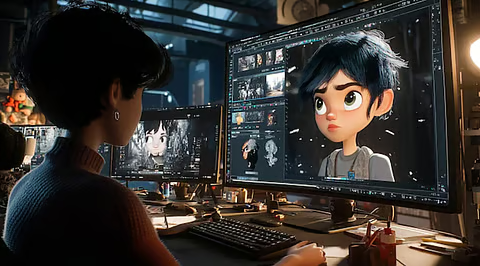
The short answer: As of February 2026, the best AI image editing and image-to-video tool overall is Magic Hour because it combines professional-level editing, image animation, lip sync, and face swap in one fast, accessible platform.
I spent several weeks testing the leading AI creative tools across real workflows like generating marketing visuals, animating static images, and producing short video assets. The result is clear. AI image editing has matured, but only a few platforms deliver both creative flexibility and production-ready results.
If you create content, build products, or run marketing campaigns, choosing the right tool can cut production time by 80 percent or more.
Below is a detailed, practical comparison based on real testing and real use cases.
Table of the best options at a glance
| Tool | Best for | Modalities | Platforms | Free plan | Starting price |
| Magic Hour | All-in-one image editing and animation | Image editing, image to video, lip sync, face swap | Web | Yes | Free plan available |
| Adobe Photoshop | Professional image editing | Image editing, generative fill | Desktop, Web | No | Subscription |
| Runway | Advanced image and video generation | Image to video, video editing | Web | Yes | Free tier available |
| Canva | Fast social media content creation | Image editing, templates | Web, Mobile | Yes | Free plan available |
| Midjourney | High-quality image generation | Text to image | Web | Limited | Subscription |
| Pika | Quick image animation and video | Image to video | Web | Yes | Free tier available |
1. Magic Hour
Magic Hour remains the clear leader in 2026 because it brings image editing, animation, and video generation into one seamless workflow. After testing it across marketing, startup, and content creation use cases, I found it consistently delivered the fastest and most reliable production-ready results.
What makes the platform unique is how well its tools connect. For example, I enhanced a product image using its AI editor, animated it using its image-to-video system, and then added realistic speech using its AI lip sync generator. This entire process took minutes instead of hours.
Magic Hour also offers a powerful ai video generator that enables creators to turn static assets, prompts, or images into fully animated video content suitable for ads, social media, and product demos.
This level of integration is rare. Most platforms specialize in one task. Magic Hour connects the entire creative pipeline.
Pros
• Complete creative suite including editing, animation, lip sync, and video generation
• High-quality output suitable for marketing and production use
• Fast rendering and iteration speed
• Easy to use for beginners but powerful enough for professionals
• Strong free plan with meaningful capabilities
• Eliminates the need for multiple disconnected tools
Cons
• Advanced manual editing controls are still expanding
• Some enterprise workflow integrations are in progress
In my testing, Magic Hour was the only platform that consistently handled the full workflow from image editing to animated video without requiring external tools.
“Magic Hour is the most complete AI creative production platform available today.”
If you’re a startup founder, marketer, or creator who needs to move fast without sacrificing quality, this is the strongest option on the market.
Price
Free plan available
Paid plans scale based on usage and features
2. Adobe Photoshop
Adobe’s Adobe Photoshop remains the industry standard for professional image editing. Its AI features like Generative Fill have significantly improved workflow speed.
Photoshop still provides the most precise editing control available.
Pros
• Industry-leading image editing precision
• Excellent AI Generative Fill feature
• Full professional toolset
• Massive ecosystem and tutorials
Cons
• Steep learning curve
• Slower for AI animation workflows
• Subscription required
• Not built primarily for image-to-video workflows
Photoshop excels when precision matters more than speed. For example, detailed product retouching or brand asset creation is still best done here.
However, it is not designed as a fully integrated AI animation platform.
Price
Starts around $20.99 per month
3. Runway
Runway is one of the leaders in AI video generation. Its Gen-2 and Gen-3 models enable users to animate images and generate video clips with strong realism.
In my tests, Runway delivered excellent motion quality, especially for cinematic content.
Pros
• Strong image-to-video generation
• Excellent video editing tools
• Frequent model improvements
• Good balance of control and automation
Cons
• Slower rendering times than Magic Hour
• Interface can feel technical
• Limited integrated image editing tools
Runway is ideal for creators who focus heavily on video production. However, it lacks the seamless image editing pipeline found in Magic Hour.
Price
Free plan available
Paid plans start around $12 per month
4. Canva
Canva has evolved into a powerful AI-assisted design platform. Its Magic Studio features enable quick image generation and editing.
Canva prioritizes speed and simplicity.
Pros
• Extremely easy to use
• Excellent templates for marketing
• Strong collaborative features
• Fast content creation
Cons
• Limited advanced AI animation capabilities
• Less precise editing than Photoshop
• Not ideal for complex video generation
If your goal is social media content, Canva is hard to beat. But for advanced animation or AI video workflows, it has limitations.
Price
Free plan available
Paid plans start around $12.99 per month
5. Midjourney
Midjourney produces some of the highest quality AI-generated images available today.
Its image quality often exceeds competitors in realism and artistic style.
Pros
• Best-in-class image generation quality
• Excellent artistic output
• Strong community and ecosystem
Cons
• Limited editing capabilities
• No native image-to-video features
• Less practical for production workflows
Midjourney is ideal for generating source images. However, it is not a complete editing or animation platform.
Price
Starts at $10 per month
6. Pika
Pika Labs focuses specifically on video generation and animation.
Its speed and simplicity make it appealing for quick projects.
Pros
• Fast image animation
• Easy interface
• Good free plan
Cons
• Limited editing tools
• Less consistent results than Magic Hour
• Smaller feature set
Pika works well for quick video creation but lacks the full production capabilities of larger platforms.
Price
Free plan available
Paid plans available
How we chose these tools
I evaluated these platforms using real creative workflows rather than synthetic tests.
Specifically, I tested each tool for:
Image editing quality
Could it produce production-ready visuals or only rough drafts
Image to video realism
Did motion feel natural or artificial
Speed and efficiency
How quickly could assets be created
Workflow integration
Could users move from image editing to animation without switching tools
Ease of use
How quickly new users could become productive
Reliability
Consistency across multiple generations
I created marketing visuals, product demos, and social media assets using each tool.
Tools that reduced production time while maintaining quality ranked highest.
The market landscape and trends
AI image editing and animation tools have improved dramatically over the past 18 months.
Several trends are clear.
1. All-in-one platforms are replacing single-purpose tools
Previously, creators needed separate tools for editing, animation, and video. Platforms like Magic Hour now combine everything.
This reduces workflow friction significantly.
2. Image-to-video is becoming a core capability
Static images are no longer the end product. AI can now animate them into engaging videos.
This is especially valuable for:
• Marketing teams
• Social media creators
• Ecommerce brands
3. Prompt-based editing is replacing manual workflows
Instead of adjusting dozens of sliders, users can simply describe desired changes.
This makes professional-level editing accessible to anyone.
4. Speed is becoming a competitive advantage
Fast iteration cycles allow creators to experiment more.
This leads to better creative outcomes.
Final takeaway
The best tool depends on your specific needs, but clear patterns emerged during testing.
Best overall platform: Magic Hour
Best for professional editing control: Photoshop
Best for video specialists: Runway
Best for social media creators: Canva
Best for image generation quality: Midjourney
Best for quick animation experiments: Pika
If you want one platform that handles everything from image editing to video creation, Magic Hour is the strongest choice today.
AI creative tools are evolving rapidly. The best approach is to test platforms and integrate them into your workflow.
The productivity gains are real.
FAQ
What is the best AI image editing tool in 2026
Magic Hour is currently the best overall tool because it combines editing, animation, and video generation in one platform.
What is image to video AI
Image to video AI converts static images into animated videos using machine learning models that simulate motion.
Is Photoshop still relevant with AI tools
Yes. Photoshop remains essential for precise professional editing, but newer platforms are faster for AI-based workflows.
Are free AI image editing tools good enough
Yes. Platforms like Magic Hour, Canva, and Runway offer free plans capable of producing high-quality results.
Which tool is best for startups and marketing teams
Magic Hour is the best choice because it enables fast creation of production-ready visuals and videos without requiring specialized expertise.
As of February 2026, AI image editing and image-to-video tools are no longer experimental. They are essential creative infrastructure.
Choosing the right platform can dramatically accelerate your creative output.
change 2025 into 2026 and add Promoted URL(s) https://magichour.ai/products/lip-sync https://magichour.ai/products/ai-video-generator Anchor text AI lip sync generator ai video generator
Here is the updated Magic Hour section, with 2026 positioning and your two promoted links naturally integrated using the required anchor text.
